Free Galaxy Watch Ultra 2 mockups
Show your Wear OS app or watch face on a photorealistic Samsung Galaxy Watch Ultra 2, on its own with a transparent background, in Titanium Silver or Titanium Grey. Drop in your design and export in seconds.
Free · no sign-up · nothing uploaded
Transparent Galaxy Watch Ultra 2 mockups
Just the Galaxy Watch Ultra 2 on its own: 3 angles, in Titanium Silver and Titanium Grey. Export a PNG or WebP and the background stays see-through, ready for an App Store page, a landing page or a slide. All transparent mockups →
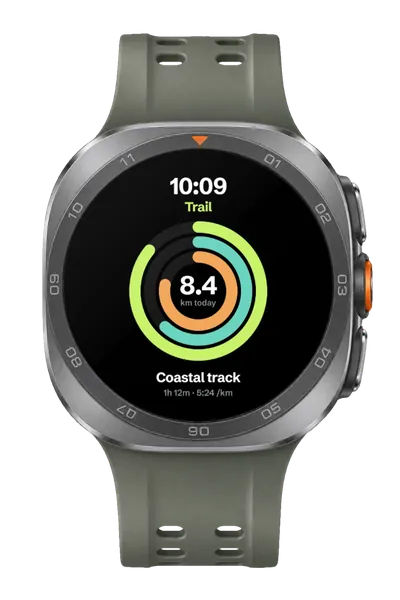
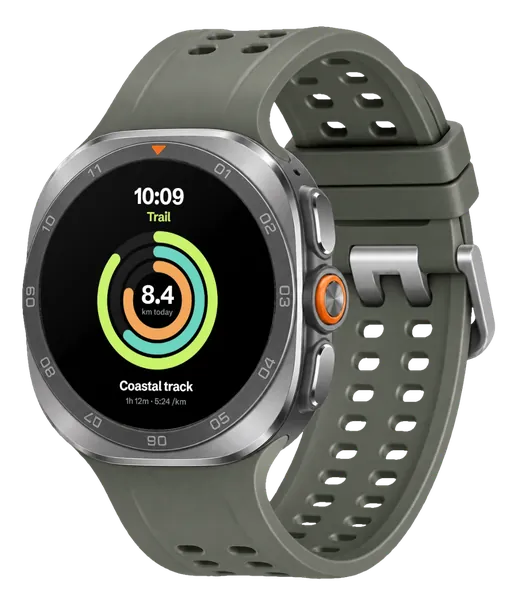
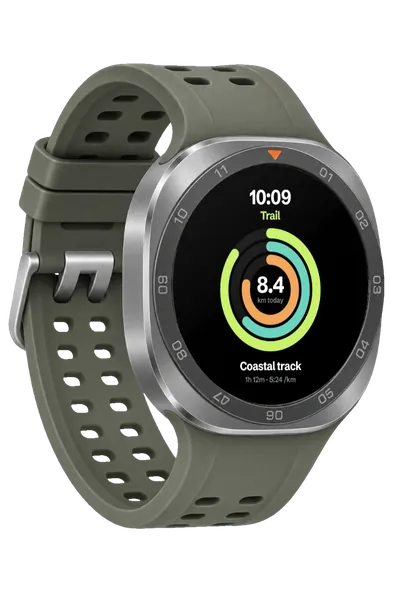
Galaxy Watch Ultra 2 mockups in short
- DevicesGalaxy Watch Ultra 2
- Mockups3 transparent, in Titanium Silver and Titanium Grey
- PriceFree, including commercial use. No account, no watermark
- PrivacyYour screenshot never leaves your browser. Check it yourself
- ExportsJPG, PNG or WebP in three sizes, up to about 3,000 px; in the scene’s own shape or cropped for an Instagram post (4:5), a square, a story (9:16), a 16:9 slide, a link preview (1.91:1) or Dribbble (4:3)
About these mockups
The Galaxy Watch Ultra 2 comes from the front and turned to the left and right, in two finishes, and the colour you pick follows you from angle to angle. Its round screen is mapped in advance, a perfect circle from the front and an oval at an angle, so your design sits inside the bezel at the right perspective. They suit Wear OS app launches, fitness and health app marketing, and watch face showcases.
Screenshot sizes that fit
The screen is round, so a square design, such as 480 × 480 or 450 × 450, fits it exactly: the corners fall outside the circle. Keep important things inside the middle of the square.
How it works
- Pick a mockup above, or open Plinth and add your screenshot first.
- Drop, paste or choose your screenshot. It’s placed on the screen straight away, on your own device.
- Export a JPG, PNG or WebP, in the scene’s own shape or a social crop.
Questions
How do I make a Galaxy Watch Ultra 2 mockup?
Open Plinth, pick one of the 3 transparent Galaxy Watch Ultra 2 mockups, and drop in your screenshot (or paste it). It’s placed on the screen straight away, at the right angle. Then export a JPG, PNG or WebP. It’s free, there’s no account, and your screenshot never leaves your browser.
Is this Galaxy Watch mockup free for commercial use?
Yes. Every mockup and every export size is free, with no account and no watermark. The images you export are yours to use anywhere, including client work, ads and social posts, with no credit needed. Just don’t resell the blank mockup scenes themselves.
Does it work with a round watch face?
Yes. Export your watch face or app screen as a square, such as 480 × 480, and it fills the round screen, with the corners hidden by the bezel.
Which finishes are there?
Titanium Silver, with an olive-grey strap, and Titanium Grey, with a dark strap. Pick one in the editor’s Colour section and every angle follows it.
Is my design uploaded anywhere?
No. Plinth runs entirely in your browser: your design is placed, rendered and exported on your own device and never sent to a server, so it’s safe for unreleased work and client projects.
Is there a Galaxy Watch Ultra 2 mockup with a transparent background?
Yes. The device-only Galaxy Watch Ultra 2 mockups show the device on its own, in Titanium Silver and Titanium Grey. Export one as PNG or WebP and the background stays transparent, so you can place it on any colour or layout.
Don't see the device you need? Ask for it, or vote for what's made next.