Free · no sign-up · nothing uploaded

Put your design on a real device.

See your app or website on photorealistic MacBooks, iPhones, iPads, displays and watches, in seconds.

Add your designDrop, paste or choose a screenshot
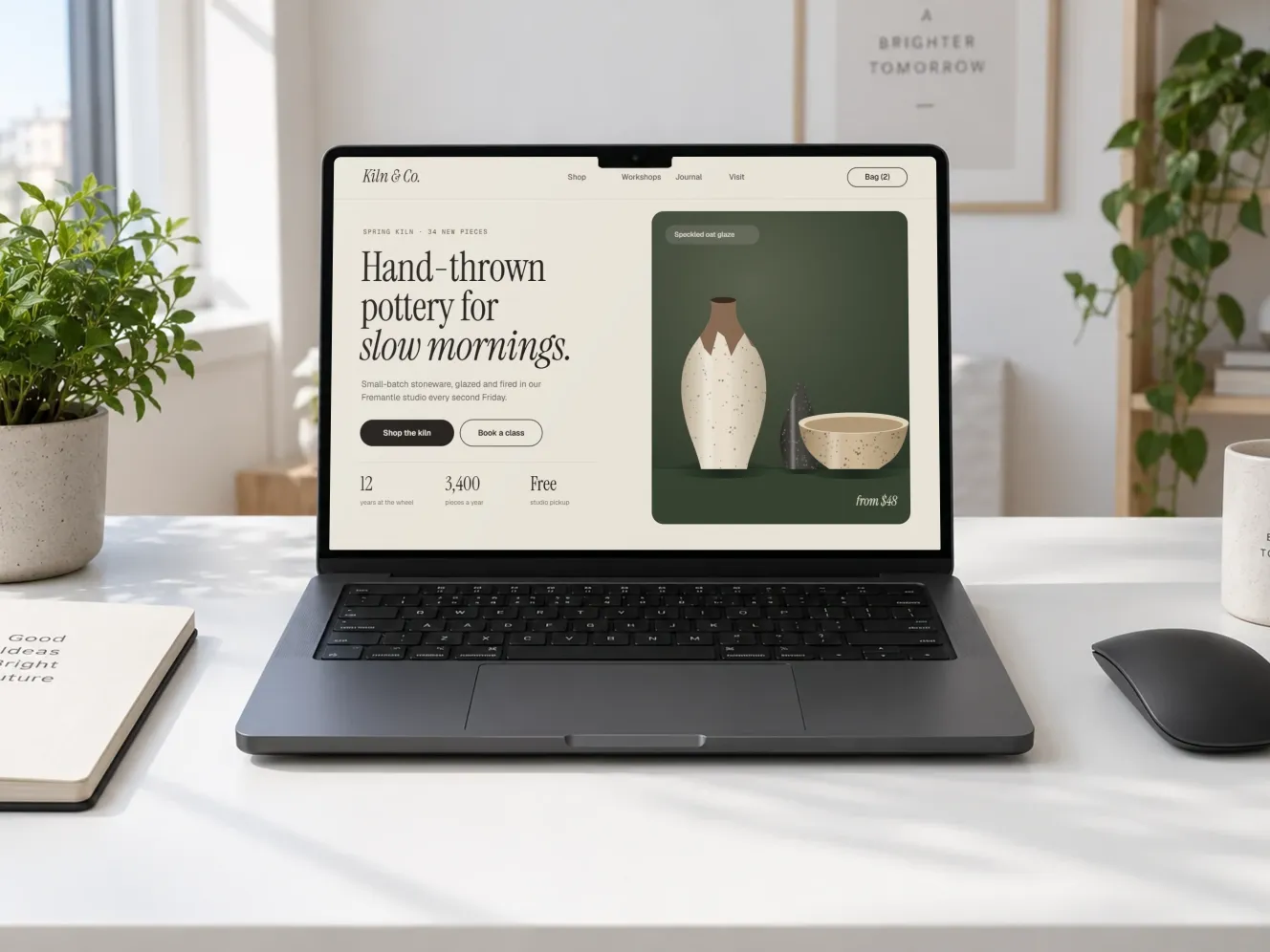
A website design shown on a MacBook Pro on a white desk MacBook ProWhite desk, front on

How it works

1

Add your design

Drop in a screenshot of an app, a website or a watch face. PNG, JPG or WebP.

2

Pick a device mockup

52 photorealistic mockups across six devices. The ones that suit your screenshot are shown first.

3

Export in high resolution

A sharp JPG, PNG or WebP, up to 4000 px, rendered on your own device and cropped for wherever it's going.

Mockup quality

Anatomy of a mockup.

Scroll through how every mockup is prepared, so your design sits on the screen as if it was photographed there.

All of it runs in your browser.
Nothing is uploaded.
  1. 01

    A photorealistic scene

    Every mockup starts as a detailed, true-to-life scene with the screen keyed in flat green.

  2. 02

    The screen, traced

    Its edges are fitted in perspective and each corner's curve measured, so the outline stays smooth at any size.

  3. 03

    Your design, warped in

    Your screenshot is mapped onto the screen at its exact angle.

  4. 04

    What's in front stays in front

    The notch, the camera and anything covering the screen are cut out of your design.

  5. 05

    Lit like the room

    Your design picks up the room's tint, with a soft reflection across the glass.

  6. 06

    Cropped for anywhere

    Instagram post, square, landscape, story and more.

  7. 07

    Private by design

    None of this leaves your browser: your screenshot is placed and exported on your own device.

Device mockups

Real rooms, not flat frames.

Every mockup is a photorealistic scene with its screen already mapped. Pick one and add your design.

Private by design

Your designs stay yours.

Plinth runs entirely in your browser. Your screenshot is placed, rendered and exported on your own device, so unreleased work never passes through anyone's server.

  • Nothing is uploadedThere's no server to send your screenshot to. The mockup is made right here, on this device.
  • No sign-upNo account, no email, no password. Open the page and start.
  • Free, with no watermarkEvery mockup and every export size.

What leaves your device

Your screenshotNever
Your finished mockupsNever
Your name or emailNever asked for
An accountNot needed
Anonymous visit countsYes, nothing personal

Rendered in this browser tab

FAQ

Good questions.

Does my screenshot get uploaded anywhere?

No. Plinth runs entirely in your browser: your screenshot is placed, rendered and exported on your own device and never sent to a server. That makes it safe for unreleased work and client projects.

Is it really free?

Yes. Every mockup and every export size is free, with no account and no watermark.

Do I need an account?

No. There's nothing to sign up for. Open the page, add your design and export. Nothing about you or your work is stored anywhere but your own device.

What size screenshot works best?

Use the screen's own shape: website shots around 1440 × 900 for laptops and displays, full-height app screens around 1179 × 2556 for phones, 2048 × 1536 for tablets and 410 × 502 for watches. Anything close is shown whole; otherwise choose Fit inside.

Why am I only seeing some mockups?

After you add your design, Plinth shows the mockups whose screens match your screenshot's shape, so nothing gets awkwardly cropped. Turn off "Only scenes that fit" in the editor to see them all.

Which devices are included?

MacBook Pro, iPhone, Galaxy, iPad Pro, Studio Display and Apple Watch.

What can I export?

JPG, PNG or WebP in three sizes: Web (1600 px on the long edge), Large, and Full, the sharpest each mockup allows (about 3000 px on most, 4000 px on Apple Watch). Choose the mockup's own shape or a social crop, and, if you like, export 16:9, 1:1 and 4:5 crops together in one zip.

Is my design saved anywhere?

Only in this browser. Plinth keeps your last screenshot and settings on this device, so a reload doesn't lose your work. Nothing is sent anywhere. Clear it any time from "On this device" in the editor.

Can I use the mockups commercially?

Yes. The images you export are yours to use anywhere, including client work, app stores, ads and social posts, with no credit needed. Please don't resell or redistribute the blank mockup scenes themselves.
Add your design to a real device.

Drop a screenshot anywhere on this page, paste it, or choose a file. It never leaves your device.

Browse mockups