A mockup generator that never uploads your screenshot
Plinth Mockups draws every mockup in your browser, on your own device. Your screenshot isn’t sent to our server or anyone else’s, so it suits unreleased apps and client work. You don’t have to take that on trust: here’s how to check.
Free · no sign-up · nothing uploaded
Check it yourself, in about a minute
Two tests, in Chrome, Edge or Firefox. Neither needs anything installed, and the first needs no technical knowledge at all.
Test 1: turn off your wi-fi
- Open a mockup and wait for it to appear.
- Turn off your wi-fi, or unplug your network cable.
- Add a screenshot and export it. It still works, because nothing needs a server.
Test 2: watch the network
- Open a mockup, then your browser’s developer tools (F12, or ⌥⌘I on a Mac), and choose the Network tab.
- Add a screenshot and export it. Most of the list is files coming down to you: the page, its code and the mockup photos.
- Find what went up: small notes called
event,liveandcount, and one calledrumfrom Cloudflare. Click one and read it. Each is a line or two of text, far too small to hold a picture.
What that looked like when we measured it
- ScreenshotA 7.4 MB PNG, added to an iPhone 18 Pro mockup and exported
- Everything sentAbout 1.4 KB, in 7 notes: about 0.02% of the screenshot
- Largest noteAbout 0.8 KB, Cloudflare’s page-speed count
- Connection offThe export still worked
Measured on plinthmockups.com in Chrome on 4 November 2026.
Try it on any mockup
Pick one, then run either test. These are four of the 103. Browse them all →
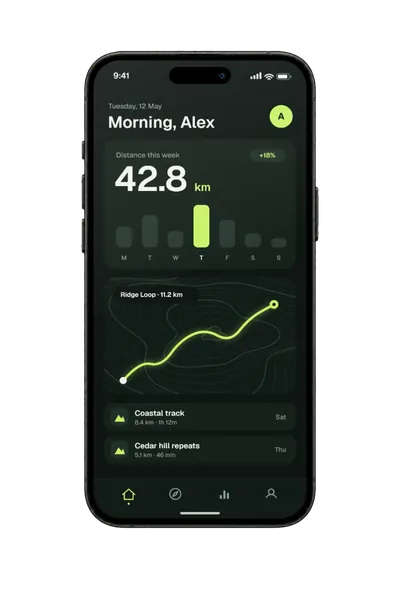
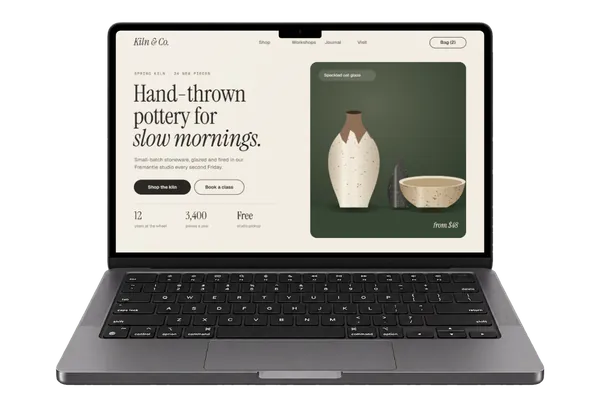
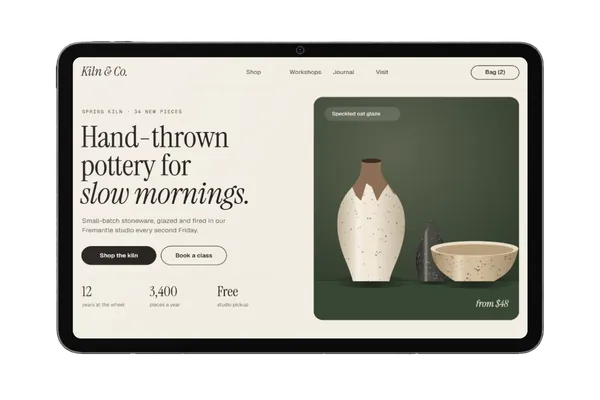
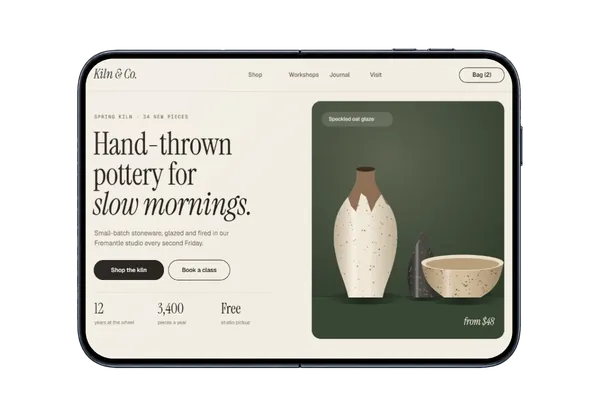
What does leave your browser
Your image and its file name are never in any of these. If your browser asks sites not to track it, Plinth’s own event and live notes aren’t sent at all.
| Note | What it says | Why |
|---|---|---|
event | What happened (a page view, a design added, an export) and on which page or mockup; how a design was added and its rough shape (phone, tablet, website or watch); an export’s format and size; where the visit came from; new or returning; and phone, tablet or computer. Also a word you searched for that found nothing, and the type of a file that wouldn’t open. | To see what’s working. Kept only as hourly totals |
live | Just the page you’re on, every 2 minutes while it’s open and in view. | To count who’s here now. Deleted after an hour |
count | One more design added. | The tally on the home page |
rum | Cloudflare Web Analytics: the page, the site the visit came from, browser and device type, and how quickly the page loaded. | Visits and page speed |
| Feedback | What you type, and your email address if you add one, only when you send the form. | So we can reply |
How it works
When you add a screenshot, your browser reads it from your device and draws it into the mockup with the page’s own code. The mockup photos come down from the site, but your design never goes up. The finished image is made in your browser too, and saved like any other download.
What stops it being sent
Nothing in the page’s code sends your image anywhere, and the site’s security policy tells your browser to block the page from contacting other servers, apart from Cloudflare’s analytics. That policy can’t rule out Plinth’s own server, which is why the network test is worth doing. Nobody independent has audited this, so those tests are the proof on offer.
What stays on your device
So a reload doesn’t lose your work, your last screenshot and settings stay in this browser’s own storage until you clear them, with On this device → Clear from this device in the editor, or by clearing the site’s data. That’s worth doing on a shared computer.
What our host sees
Like any website’s host, Cloudflare receives the ordinary details of each request for the site’s files, such as your IP address and browser type. Those requests only fetch files, and never contain your screenshots. The privacy policy has the full detail.
Questions
Does Plinth upload my screenshot?
No. It’s placed, rendered and exported in your browser, on your own device. The two tests on this page let you see that for yourself.
Can I use it for work under an NDA?
Plinth never receives your design, so there’s nothing for us to store or lose. Whether that meets a particular agreement is for you and your client to decide, and this page and the privacy policy are there to show them.
Does it work offline?
Once a mockup has loaded, yes: you can add a screenshot and export with no connection. Other mockups need a connection to download the first time you open them.
Is the Figma plugin private too?
Yes. Your frame goes from Figma into the plugin’s window on your computer, and the mockup comes back the same way. Figma lists it as having restricted network access, because plinthmockups.com is the only address it can reach: that’s where the editor and the same small notes go. The plugin page has more.
How can I check other mockup tools?
The network test works on any web tool. Add a large image and look for a request about the same size as your file. If there is one, your image went to a server. That isn’t always a problem, but it’s then worth reading how long that tool keeps it.
What’s the catch?
There are no ads and no accounts, and because your designs never reach a server, there’s nothing about them to sell. Plinth is one designer’s project: the about page has the story.
Don't see the device you need? Ask for it, or vote for what's made next.