Your designs stay yours
Plinth runs entirely in your browser. Your screenshot is placed, rendered and exported on your own device, so unreleased work never passes through anyone's server.
Privacy policyFree · no sign-up · nothing uploaded
Plinth Mockups makes free device mockups for your app or website: photorealistic MacBooks, iPhones, foldables, iPads, displays and watches, on a transparent background or in real scenes.
designs mocked up so far, and not one of them uploaded.
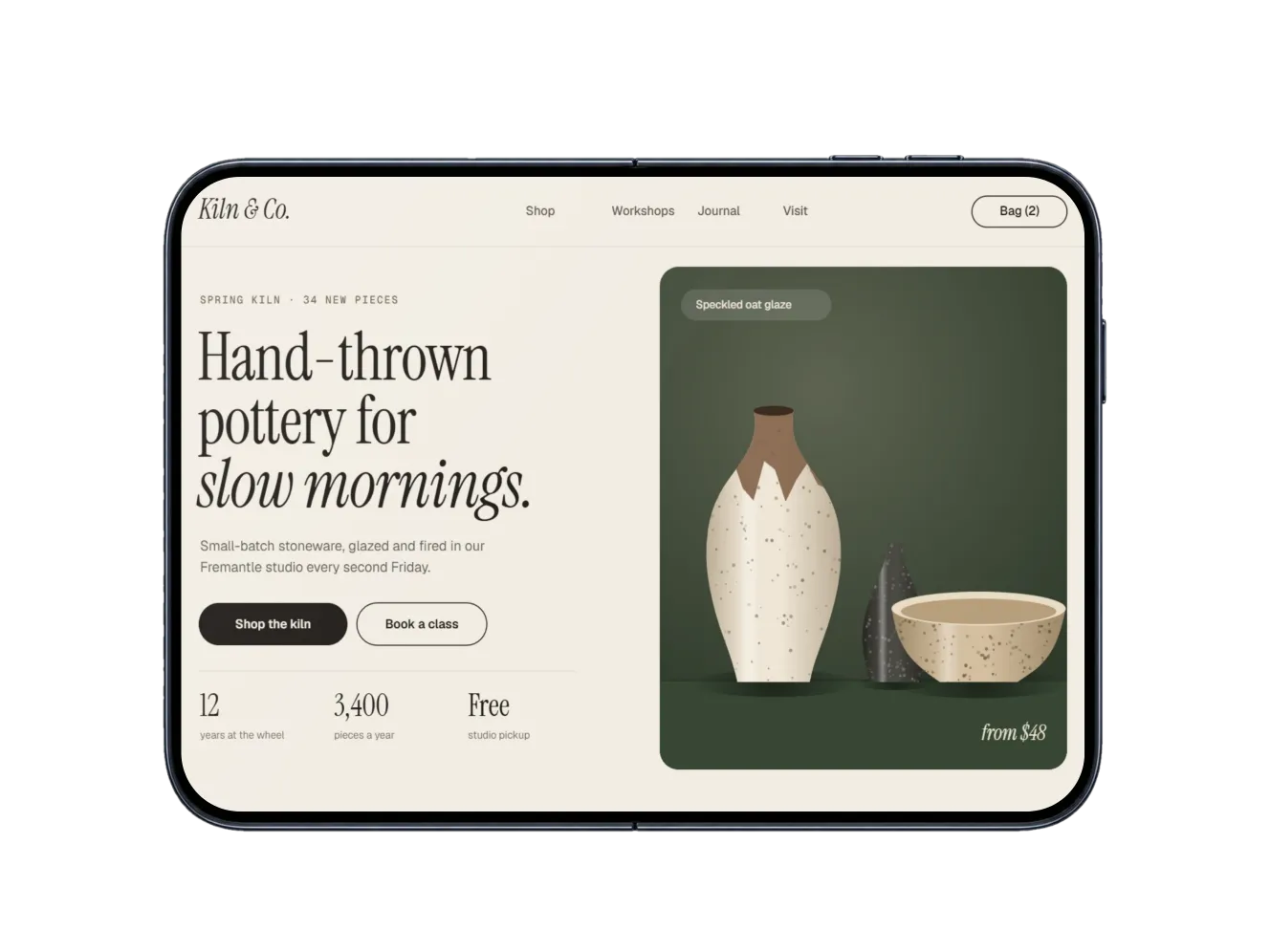 iPhone DuoOpen · Front
Every device on its own, from the front, angled, floating or lying flat, in its real colours, now with the foldable iPhone Duo, closed and open. Export a transparent PNG and drop it onto an App Store page, a landing page or a slide.
Photorealistic scenes and transparent device-only shots, newest first, each with its screen already mapped. Pick one and add your design.
Can't find your device? Request it, or vote for what others want.
New mockups come from what people ask for on the requests board. Here's what's been added lately.
Plinth runs entirely in your browser. Your screenshot is placed, rendered and exported on your own device, so unreleased work never passes through anyone's server.
Privacy policyEvery mockup and every export size, with no account and no watermark. Use what you make anywhere, including client work, app stores and ads, with no credit needed.
Browse the mockupsSelect a frame, pick a mockup, and add it to your file at full resolution. The same mockups, and your frame never leaves your computer.
Get the Figma plugin How it worksPlinth Mockups, or Plinth for short, is a free device mockup generator that runs in your browser. Drop in a screenshot of an app or a website and it's placed on a photorealistic iPhone, Samsung Galaxy, MacBook Pro, iPad Pro, Studio Display or Apple Watch, at the right angle and in the scene's light, or on the device on its own with a transparent background. There's no account and no watermark, and your screenshot never leaves your device.
Yes. Every mockup and every export size is free, with no account to make and no watermark. The images you export are yours to use anywhere, including client work, app stores, ads and social posts, with no credit needed. Please don't resell or redistribute the blank mockups themselves.
No. Plinth runs entirely in your browser: your screenshot is placed, rendered and exported on your own device and never sent to a server, so it's safe for unreleased work. Your last screenshot and settings are kept only in this browser, so a reload doesn't lose your work; clear them any time from "On this device" in the editor. You can check all this yourself in about a minute.
Drop your screenshot on this page (or paste it, or choose the file) and pick an iPhone scene. It's placed on the screen straight away, with the Dynamic Island cut in and, if you like, a clean status bar. Then export a JPG, PNG or WebP.
Use the screen's own shape: website shots around 1440 × 900 for laptops and displays, full-height app screens around 1179 × 2556 for phones, 2048 × 1536 for tablets and 410 × 502 for watches. Anything close is shown whole; otherwise choose Fit inside. Pick a mockup whose screen matches your screenshot's shape; if the one you're on would crop it, Plinth says which scenes fit.
Yes. The device-only mockups show each device on its own, from the front, angled, floating or lying flat, in its real colours. Export one as PNG or WebP and the background stays transparent, ready to place on any colour or layout.
JPG, PNG or WebP in three sizes: Web (1600 px on the long edge), Large, and Full, the sharpest each mockup allows (about 3000 px on most, 4000 px on Apple Watch). Use the mockup's own shape or crop it for an Instagram post (4:5), a square, a story (9:16), a 16:9 slide, a link preview (1.91:1) or Dribbble (4:3).
Yes. Plinth works in mobile browsers too: add a screenshot from your photos, pick a mockup, and save the result straight back to your photos.
Yes. Plinth for Figma puts a selected frame on any of these mockups and places the result beside it in your file.
Drop a screenshot anywhere on this page, paste it, or choose a file. It never leaves your device.
Everything happens in this browser. Your screenshot is never uploaded. Plinth keeps your last one here, on this device, so you can pick up where you left off.
Select a frame in Figma to put it in a mockup.
How did your mockup turn out?
Thanks, that's really helpful.
Plinth is made by one person. Whatever you write here comes straight to me, and I read every message.
Thanks, it's on its way.
I read every message, and if you left your email I'll reply.
Rendered on this device. Nothing is uploaded.